How an agency team hands off AI agent work between people and agents
Agencies whose agents and people pass files to each other and to clients work best from one shared BearDrive folder that every agent and every person mounts. Agents write results to one folder per client, leave a short log entry after changing files, and hand teammates a sign-in-only link. Only a person sends anything to a client, and anything already sent is never edited.
Why do agencies need this more than most teams?
An agency's work is a stream of files: briefs, audits, drafts, reports, data exports. More and more of them are produced by AI agents, some running on a schedule and some in each person's Claude Code session or other AI tools, and every one of them has to reach a teammate, then often a client. When those files live on separate laptops, the hand-off is the slowest part of the job: someone has to find the latest version, check it, and send it.
A shared folder that every agent and every person mounts removes most of that work. The rules below are what make it hold up once several agents and several people write for the same client.
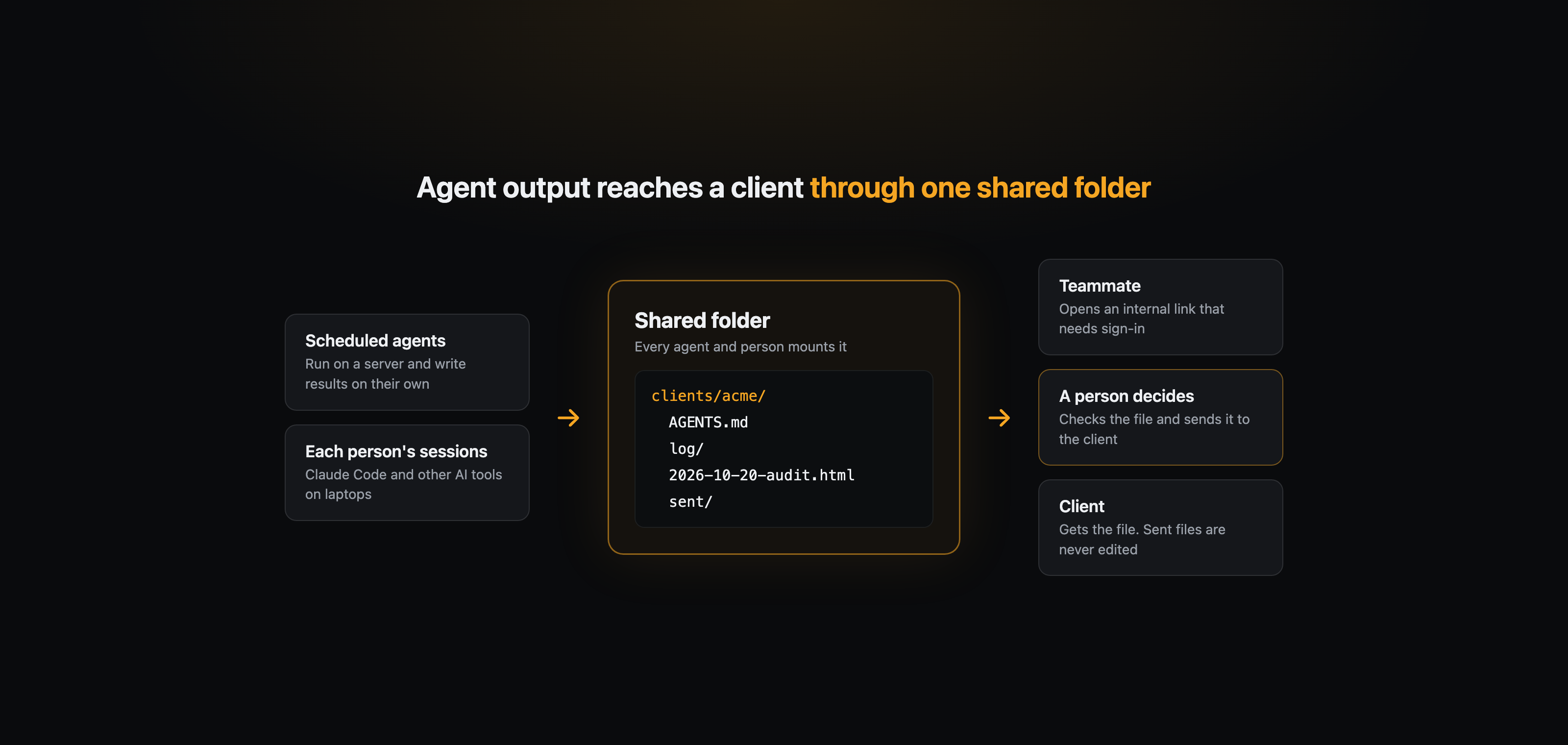
Where should each agent put its output?
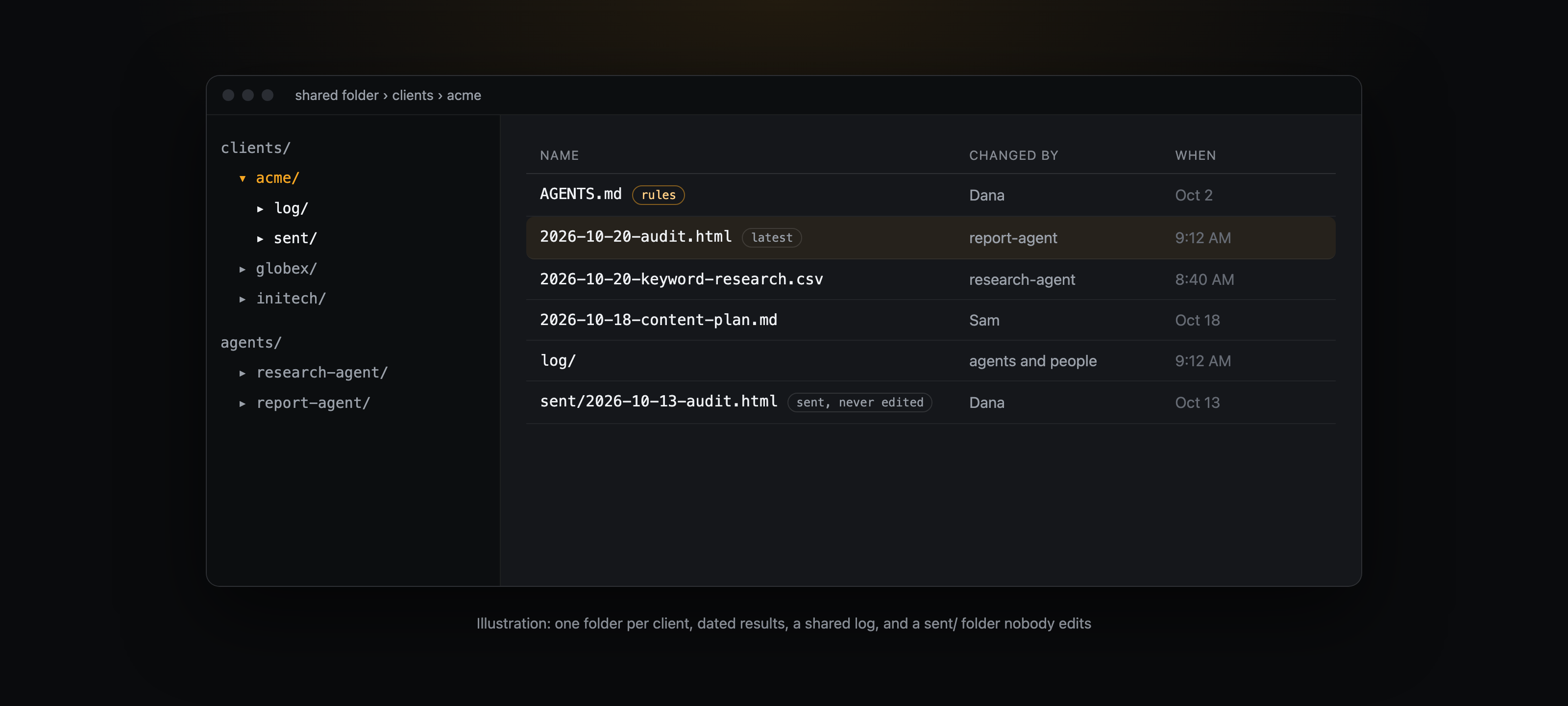
In the client's folder, not its own. Give each agent a working folder for its state and notes, and keep one canonical folder per client for results, with a dated file name. When several agents and several people write for the same client, the only way anyone finds the latest draft or report is that there is one place for each kind of result.
How do agents and people know what the others did?
Keep a short shared log in the folder: one entry after any work that changes files, saying who did what, for which client, and which files changed. Have every agent session read the recent entries before it starts. Because the log is just files in the folder, it reaches every device the same way the work does.
If an agent runs on a schedule, have it take a lock before it starts, so the same job never runs twice at once.
How should an agent hand a file to a teammate?
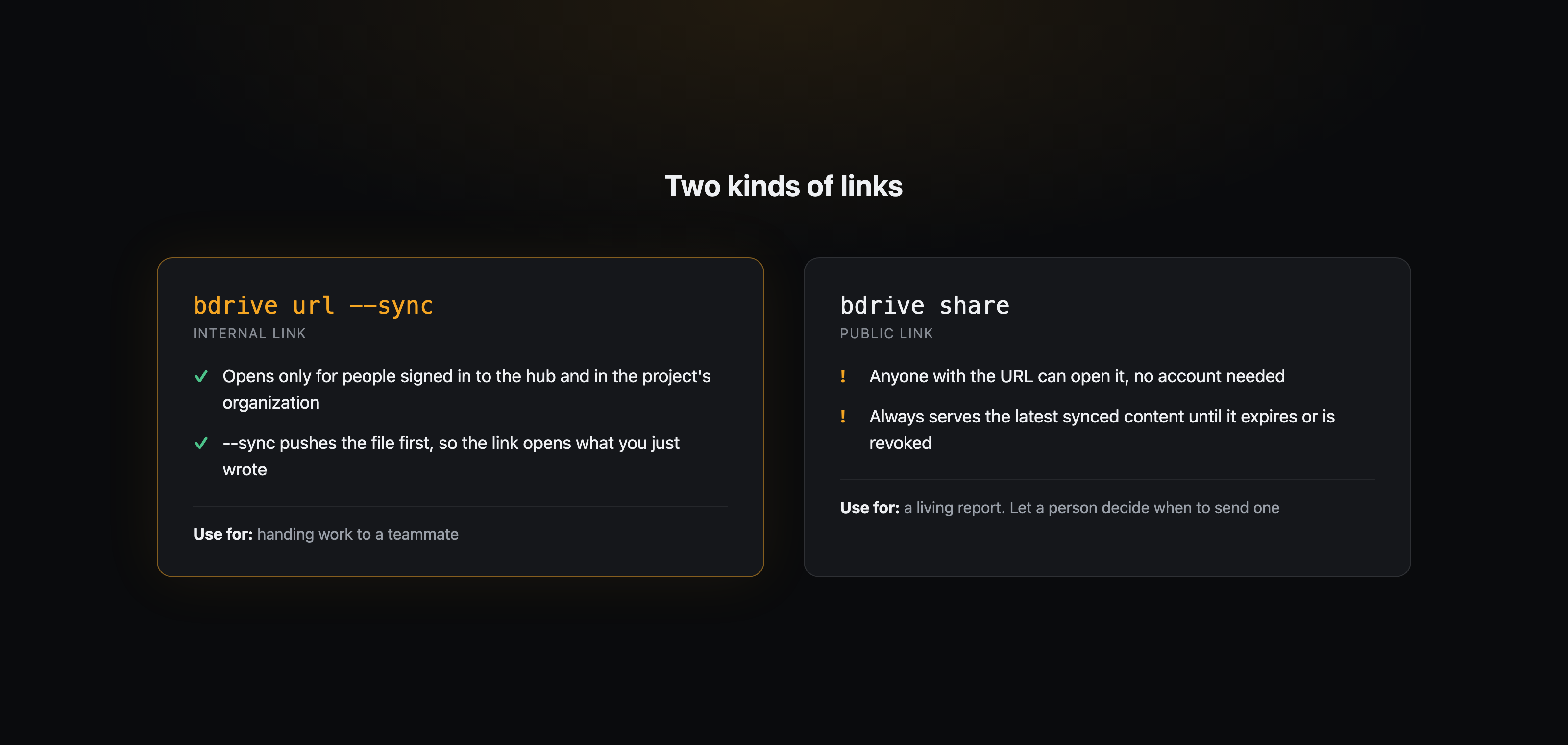
With a link, not an upload. bdrive url prints a file's internal link, which only people signed in to the hub and in the project's organization can open. With --sync, it pushes the file first. If you share a link some other way, first check that bdrive status shows nothing pending or local, so the teammate opens the version you just wrote.
Who decides what reaches the client?
A person. bdrive share creates a public link that anyone who has the URL can open without an account, and it always serves the file's latest synced content until it expires or is revoked. That is the right behavior for a living report, and the wrong one for something a client already signed off on.
So add one rule on top: anything already sent to a client is a record. Nobody edits it afterwards. A correction is a new dated file next to it. BearDrive keeps every version of every file anyway (bdrive log shows who changed what, when, and from which device), but a dated file name is faster to read than history.
What rules should the folder carry?
Write them in an AGENTS.md inside the folder, so every agent reads them before it starts and they sync like any other file. A starting set:
- Results go to the client's canonical folder. An agent's own folder holds only its state and notes.
- Work that changes files leaves a log entry with the author's name.
- Scheduled jobs take a lock.
- Hand teammates the internal link, after checking the sync finished.
- Only a person sends anything to a client, and sent files are never edited.
How do you set this up?
Make one shared folder with a subfolder per client, write down where things go, and start syncing the shared folder on the first device:
mkdir -p clients/acme
bdrive init
On every other machine, laptop or server, run bdrive login once, then run bdrive init --project <id> in the folder you want to sync to connect the same project.
Then write the AGENTS.md above. For the longer version of how one team organizes a shared folder, see How our team works with AI agents through one shared folder. For sharing agent output across a team, start at Share work across your team's agents.
Questions
- How do several Claude Code agents share files without overwriting each other?
- Give each agent its own working folder for state and notes, and one canonical folder per client for results. BearDrive usually syncs a change to every device within seconds. If two writers edit the same file at the same moment, the last write wins and the other version is kept beside it as a conflict copy.
- Can scheduled server agents and people's laptops use the same BearDrive folder?
- Yes. A server agent signs in once and connects the project like any other device with bdrive init, and its changes show up on every other device with the author and device recorded in the history.
- How should an AI agent share a file with a teammate?
- Reply with the file's internal link from bdrive url --sync, which only people signed in to the hub and in the project's organization can open. The --sync flag pushes the file before printing the link, so the teammate opens the version you just wrote.
- Should an AI agent send public links to clients?
- It is safer not to. A bdrive share link is public to whoever has the URL and always serves the latest content, so let a person decide what goes out, and never edit a file after it has been sent.